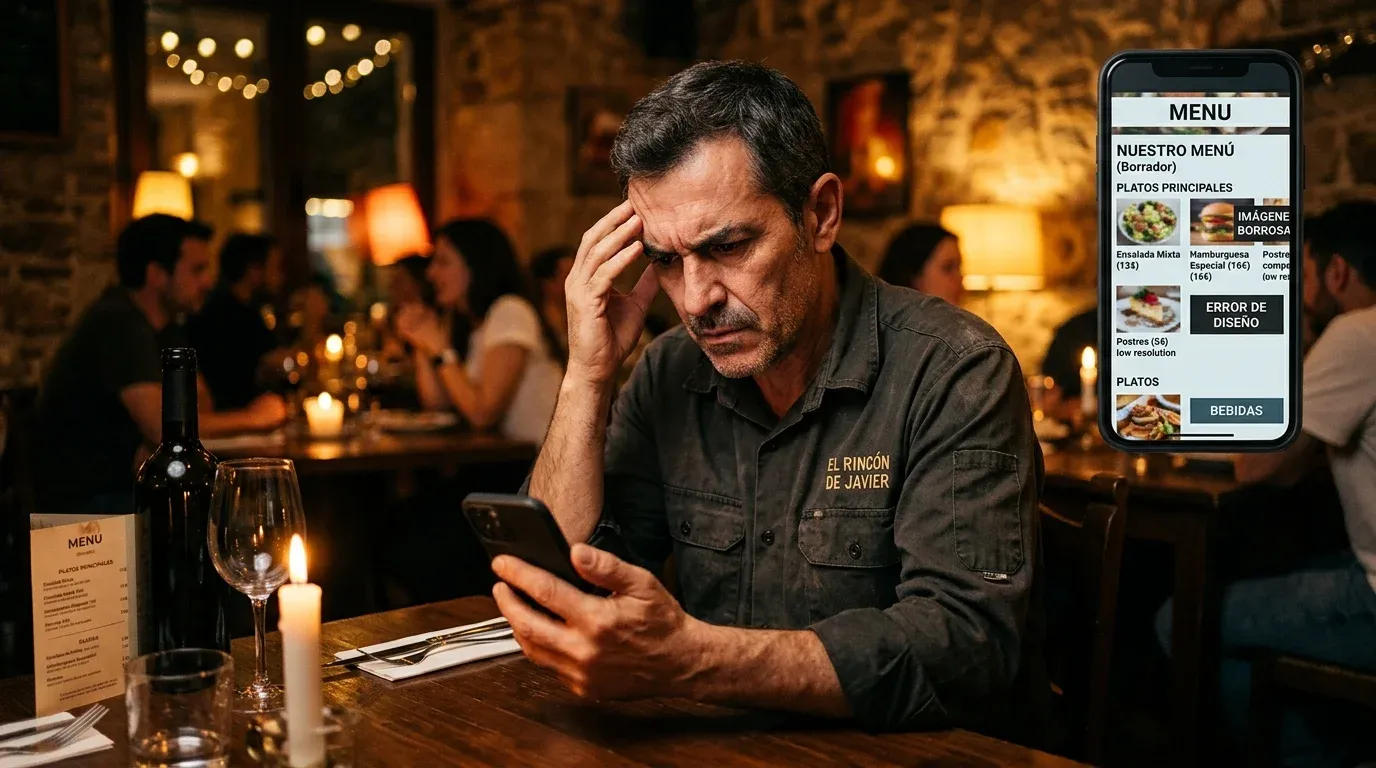
Every week we speak with restaurant owners who have had a digital menu for months and tell us the same thing: "we have it, but we haven't noticed any difference". Some have even concluded that the digital menu "doesn't work".
In almost all cases, the problem isn't the tool. It's how it's being used.
We've identified five mistakes that repeat constantly. None is serious or difficult to fix — but whilst they're there, the digital menu won't perform as it should.
Mistake 1: low-quality photos or no photos at all
It's the mistake with the biggest impact on sales and the most common. A restaurant with a digital menu but no photos of the dishes is wasting the clearest advantage it has over a paper menu: the ability to show customers what they're about to order before they order it.
Industry data is consistent: dishes with photos are ordered between 30% and 65% more than those shown as text only. It's no coincidence. The brain makes purchasing decisions primarily through visual stimuli. If the customer can't imagine the dish, they reduce risk by choosing something familiar or asking the waiter, which slows down service and lowers the average bill.
The problem is usually execution, not intention. Taking good food photos seems complicated, but it isn't really:
- Natural side lighting (next to a window) eliminates 80% of lighting problems
- A modern phone in portrait mode is enough to start with
- Photograph the dish freshly plated, before it loses temperature and appeal
- Neutral background: a white tablecloth or dark wooden board work with almost any restaurant style
You don't need a professional photographer for everyday photos. What you do need is some photo — anything — before the customer gets to ordering.
Mistake 2: empty descriptions or copied from the supplier
"Grilled veal steak with vegetables." Technically correct. Gastronomically useless.
A dish description has two functions: to inform and to whet the appetite. Most digital menus we see only do the first — and poorly. The descriptions are so brief they add nothing the customer couldn't work out from the dish name.
The other extreme also exists: restaurants that literally copy the supplier's technical sheet. "Friesian veal aged 24 months in a chamber at 2ºC." It might be true, but it doesn't make the customer want to order it.
A good description answers three questions in two or three lines: how is it made?, what flavour or texture does it have?, what comes with it?
Example of what doesn't work: "Ham croquettes (6 units)"
Example of what does work: "Acorn-fed Iberian ham croquettes, creamy béchamel rested for two weeks, crispy coating. Six units."
You don't need to be a poet. You need the reader to be able to imagine the dish in their mouth. That's what turns reading into an order.
Mistake 3: outdated menu with dishes no longer served
This mistake doesn't just fail to sell — it actively destroys trust.
A customer who selects a dish from the digital menu, calls the waiter and is told "we don't have that" experiences a small but real disappointment. It's not a drama, but it's the kind of experience that makes them ask next time before looking at the menu — or stop consulting it altogether.
The digital menu should be the contract between the restaurant and the customer: what appears on the menu is served. When that contract is broken, the tool loses its usefulness.
The most common causes of this problem are two. First: the restaurant updates the physical menu or the board but forgets to do the same digitally. Second: there are seasonal or special dishes added verbally without being reflected in the menu.
The most practical solution is to assign someone responsible for the digital menu — it could be the manager themselves — and set a fixed weekly review time. Five minutes every Monday is enough to keep the menu up to date. With a system that lets you mark dishes as unavailable in seconds, without needing to delete them or reprint anything, that task stops being a burden.
Mistake 4: the QR code is in the wrong place
It seems like a minor detail. It isn't. The location of the QR code largely determines whether customers use it or not.
The most common location mistakes we see:
- QR stuck on the entrance wall: the customer doesn't have their phone in hand when they enter, and by the time they sit down they've forgotten about it
- QR on the printed menu, at the end: the customer holding the paper has no reason to look for the digital version
- QR on a laminated A4 poster propped on the table: it falls over, gets dirty, ends up in the kitchen, disappears
- One QR code for the whole terrace: the customer at the back table isn't going to go looking for it
The QR code works best when it's on the table, at eye level, in a stable holder. A small table-top triptych or acrylic stand works well for this. Ideally it should be the first thing the customer sees when they sit down — before they look for the waiter to ask for the menu.
If you also have a QR code for Google reviews, place them together but differentiated: one when they sit down, another when they leave. The reviews one works better at the end of the meal, when the experience is complete.
Mistake 5: treating it as a static menu instead of a communication tool
This is the most subtle mistake and probably the most costly in the long run.
Many restaurants set up the digital menu once, let it run and don't touch it again except to change a price or add a new dish. The menu exists, but it doesn't work.
A well-used digital menu is much more than an interactive PDF. It's the most direct communication channel you have with the customer at the exact moment they're deciding what to order — and that moment is the most valuable of the entire experience.
Some concrete ways to use the menu as an active tool:
- Highlight seasonal dishes with a "new" or "seasonal" label to direct attention to what you want to sell this week
- Activate a weekend special menu that appears automatically on Friday and disappears Sunday night, without manual intervention
- Add a special description to the dish of the month that tells the story of the ingredient or supplier — that kind of content increases perceived value without raising the price
- Mark sold-out dishes in real time so the customer knows before ordering, avoiding disappointment
- Switch from summer to autumn menu on a scheduled date, without anyone having to remember
The restaurant that uses the digital menu this way has a real advantage over one that simply has it. The difference between the two isn't in the tool — it's in the attitude with which it's managed.
The quick diagnosis
If you want to know where your digital menu stands right now, ask yourself these five questions:
- Do more than 80% of your dishes have photos?
- Do the descriptions whet the appetite or just inform?
- Can you guarantee that everything on the menu is served today?
- Is the QR code on the table, visible from the first moment?
- Have you updated anything on the menu in the last two weeks?
If you've answered "no" to two or more, you have work to do. The good news is that none of these mistakes requires starting from scratch or changing tools. They require half an hour of attention and the habit of keeping the menu alive.
A well-maintained digital menu works for you twenty-four hours a day. A neglected digital menu simply takes up space on the table.
Does your restaurant still not have a digital menu?
Try Q'aproveche free — QR menu, bookings, smart reviews and AI Waiter. One platform. No lock-in.
Start free →